


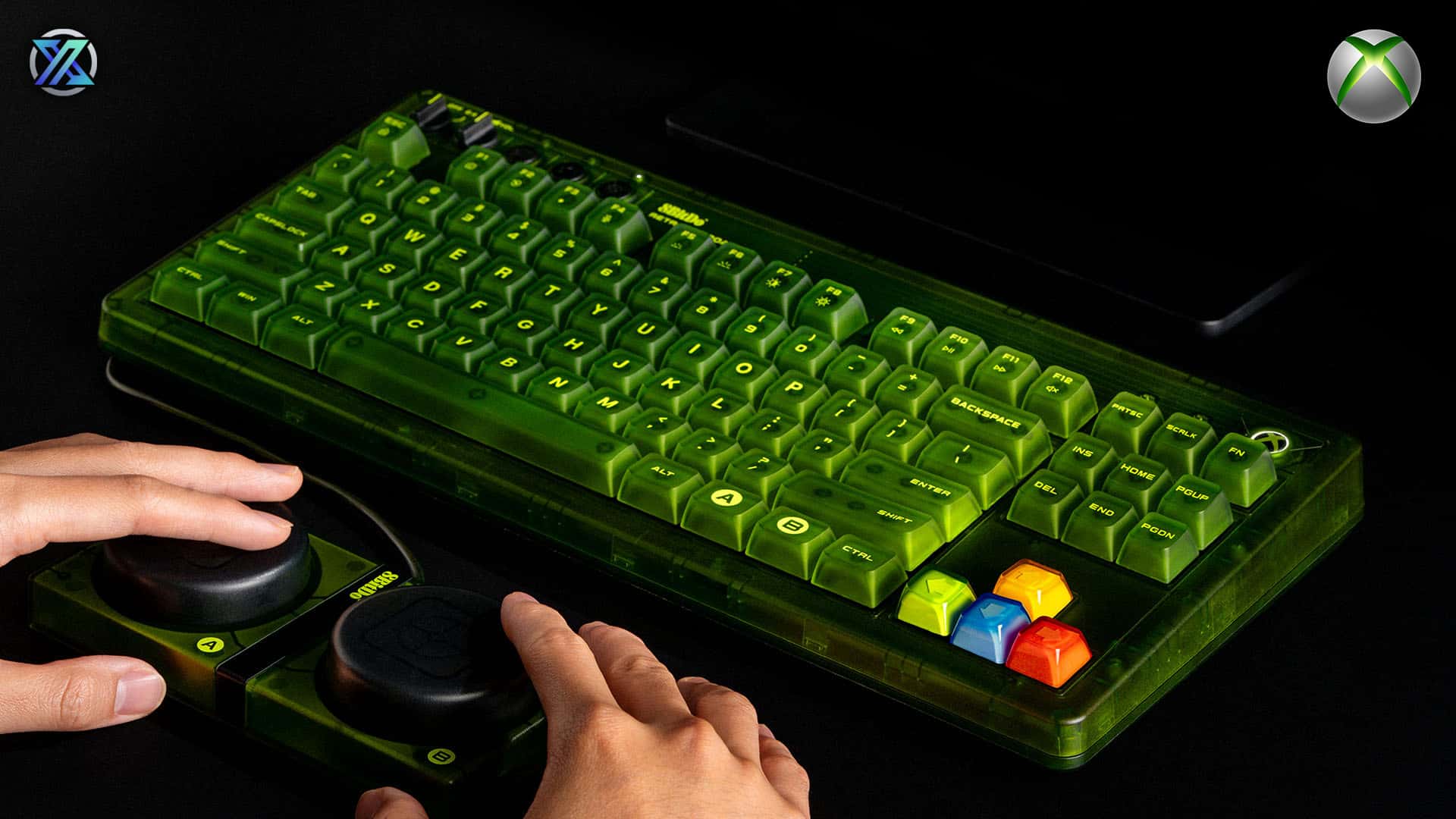
The 8BitDo Xbox Edition Keyboard & Mouse bundle indicates a great advancement in console productivity and casual gaming. This wireless keyboard and mouse pair were designed exclusively for Xbox Series X|S and Xbox One and bring PC-style controls to consoles without the usual adapter problems. The combo is suitable for composing messages, doing menu navigation and playing selected titles that support the keyboard and mouse. It targets providing a seamless, fast experience that is not out of place in a living-room setup.
Over the last 10 years, the gaming accessory world has changed completely switching from wired and limited support relationships to a wider ecosystem where keyboards and mice are becoming more and more acceptable in the console world. Microsoft was gradually increasing the keyboard/mouse compatibility that covered the entire gaming ecosystem and gradually making peripherals like the 8BitDo Xbox Edition Keyboard & Mouse go from niche curiosities to everyday tools. But the question is how this particular combo compares in real-life applications? In this article, we present and discuss the areas of performance, design, ease of use and value.
Design and Build Quality
The 8BitDo Xbox Edition keyboard presents a familiar sight at the very first sight—compact, minimalist and functional. The design of the keyboard closely resembles that of a traditional keyboard but with dimensions that are smaller and therefore more adaptable to a gaming setup. The tactile feel of the keys is pleasant and somewhere between the two types of keyboard, membrane and mechanical and aimed at the quieter operation while still having enough responsiveness to be used in typing or gaming scenarios where input via keyboard and mouse is supported.
The mouse that comes with it boasts a shape that is ergonomic and fits most hand sizes. The matte finish of the mouse makes it difficult for fingerprints to show and at the same time, gives a fair grip during the long sessions of usage. The buttons give a loud but not disturbing click and the scroll wheel has a smooth action with steps that are well-defined, which is an unexpectedly nice feature for a console-based peripheral. The wireless set works in unison to avoid the cheap, plasticky sensation that is common with many budget sets and on the contrary, gives a quality that feels in line with the current hardware.
Nevertheless, the keyboard and mouse still do not make any significant effort to use premium materials. The keyboard lacks mechanical switches, RGB lighting, and programmable macros, features that are commonly found in higher-end PC gaming accessories. 8BitDo, on the other hand, is quite unambiguous in its choice of being user-friendly and offering wide compatibility instead of having the gamer-oriented customization.
Wireless Setup and Compatibility
Connecting the combo to the Xbox console is the easiest thing to do. By default, the connection is made through a small USB dongle that goes straight into one of the console's ports and comes with the pack. After that, both the mouse and keyboard are recognized without delay in the environments approved for them. There is no considerable delay in the menu, typing, and cursor movement after pairing, and the wireless connection is still strong at a fair distance from the console.
The same as any Xbox accessory, the compatibility of the particular game is going to be a major factor. If you can input via keyboard and mouse it’s possible on the Xbox Dashboard and many first-party games, but even then not all games will be able to do so. Keyboard and mouse are allowed in the popular games like Halo Infinite and Gears 5 but others may only allow controllers. This isn’t a limitation of 8BitDo hardware but a fact of the ecosystem: consoles still treat keyboard/mouse support as optional, so your mileage may vary depending on the titles you play.
The compatibility with PC and other devices is a great additional point. With very little setup, the combo can work on Windows systems, thus, users can easily switch between console and PC without the need for a separate keyboard or mouse. Just keep in mind that advanced PC features like high-DPI settings or macros aren’t available through a dedicated utility.
Performance in Everyday Use
The 8BitDo combo is brilliant in daily activities such as writing messages, navigating through menus, or Xbox account admin. The key travel of the keyboard is pleasant for long typing and the mouse pointer has a predictable movement with little to no jitter. For those who have become used to virtual keyboards or controller navigation, this device is like a big step ahead in terms of efficiency.
In titles that allow the use of keyboard and mouse, the performance is good but not outstanding. The DPI (dots per inch) of the mouse can be set to different levels. It is good for casual use but the competitive players may find it tiring as they are used to high-performance PC gaming mice. The absence of adjustable DPI settings means that cursor speed and responsiveness are set at manufacturer's defaults, which may be limiting for players who are looking for more precision or customization.
Console gaming where keyboard and mouse usage is often a bonus rather than a basic feature, the experience is still quite smooth. Movement is very similar to that of the character in a first-person shooter and input through menus does not encounter any significant delays. The combo is outstanding in situations where you have to use keyboard input instead of it being optional, for instance, account setups, messaging, and typing long texts.
Pros and Cons
| Category | Pros (Advantages) | Cons (Disadvantages) |
| Connectivity | Easy wireless setup with Xbox; Works on PC; Stable connection. | Console ecosystem is the narrow cause for game compatibility. |
| Performance | Comfortable typing and cursor control. | No adjustable DPI; Not ideal for high-end competitive shooters. |
| Design & Build | Compact, unobtrusive design; Decent build quality for the price. | No mechanical keys; Lacks premium customization or RGB. |
Price, Value and Alternatives
The 8BitDo Xbox Edition Keyboard & Mouse is priced in the middle range and offers a good deal to the users who want wireless input that works and does not cost too much. The combo is cheaper than high-end PC gaming sets that come with mechanical switches, custom lighting or advanced software suites. Nevertheless, it isn't the most affordable console keyboard/mouse set on the market either, which implies that the buyers have to think about the main features that they can't do without.
Who Should Buy This?
- Casual gamers using Xbox who look for overcoming navigation and messaging challenges set up a whole new group of users.
- Players of supported titles who play multiplayer games and desire using a keyboard/mouse as an option.
- Users who own both PC and console setup and want one wireless set to work with all the devices.
- Families and living-room setups where convenience and space matter.
Who Might Consider Alternatives?
- Competitive gamers who require flexible DPI settings and programmable buttons.
- Heavy typists who prefer mechanical switches.
- Users who demand personalization such as RGB lighting and macros.
When prioritizing high performance, it is better to use dedicated gaming keyboards with mechanical switches or high-DPI wireless mice as alternatives. This is particularly true for PCs where customization and software utilities add up to that control. Logitech, Razer and Corsair brands have strong all-in-one sets that are very precise and of course customizable but usually cost a bit more.
Let’s say for example the combination of Logitech G915 TKL and an upscale wireless mouse gives you the best performance but that comes with a hefty price tag. If the setup is strictly on consoles, there are other alternatives that are designed for Xbox (for instance, some third-party boards with media controls) which could be richer in features but the downsides that come with them are also there.
Final Thoughts : A Solid Step Forward for Console Productivity
The 8BitDo Xbox Edition Keyboard & Mouse provides a realistic and console-friendly option for Xbox players that are looking for more convenient navigation and casual gaming with a keyboard and mouse.
It does not offer advanced customization features and competitive qualities; however, its user-friendliness, good wireless performance, and cross-platform compatibility are reasons that make it a wise choice for multipurpose console use and games with no extra complications.

